How to sell shoutouts on Shoutcart: Setting up your account

Step 1: Navigate to https://shoutcart.com/

If you're looking to start making money selling content posts to brands, one of the first things you need to do is create a Shoutcart account.


Fortunately, this is a quick and easy process that anyone can do.

Real Organic Followers

Grow Following With Path Social

Organic growth powered by AI

Choose targeting settings and region

Gets better over time

Add thousands to following per month

Saves 40 hours per month of tedious work

Builds quality audiences on autopilot

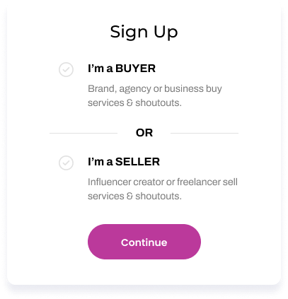
Step 2: Create a Shourtcart account by clicking “Register For Free” and register as a seller

To get started, simply go to Shoutcart's website and click on the "Register for Free" button. From there, you'll need to provide some basic information about yourself and your business.


Once you've filled out all the necessary fields, you'll be able to start selling!

Step 3: Add your Instagram account to your Shoutcart account

If you're looking to start promoting your Instagram account on Shoutcart, here's a quick and easy guide on how to get started.


Once you're logged in, click on the "Sell Shouts" tab on the top navigation bar.


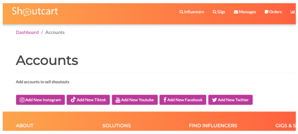
On the "Sell Shouts" page, scroll down to the "Add Your Instagram Account" section and click on the "Add Now" button.


Enter your Instagram username and password when prompted and click on the "Log In" button. Once you're logged in, you'll be able to select which of your Instagram posts you'd like to promote on Shoutcart.


That's it!

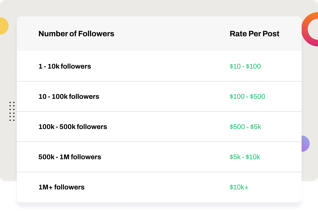
More Followers = More Revenue Per Post

Growth & estimated size of influencer marketing industry